The Self-Scheduled Scam
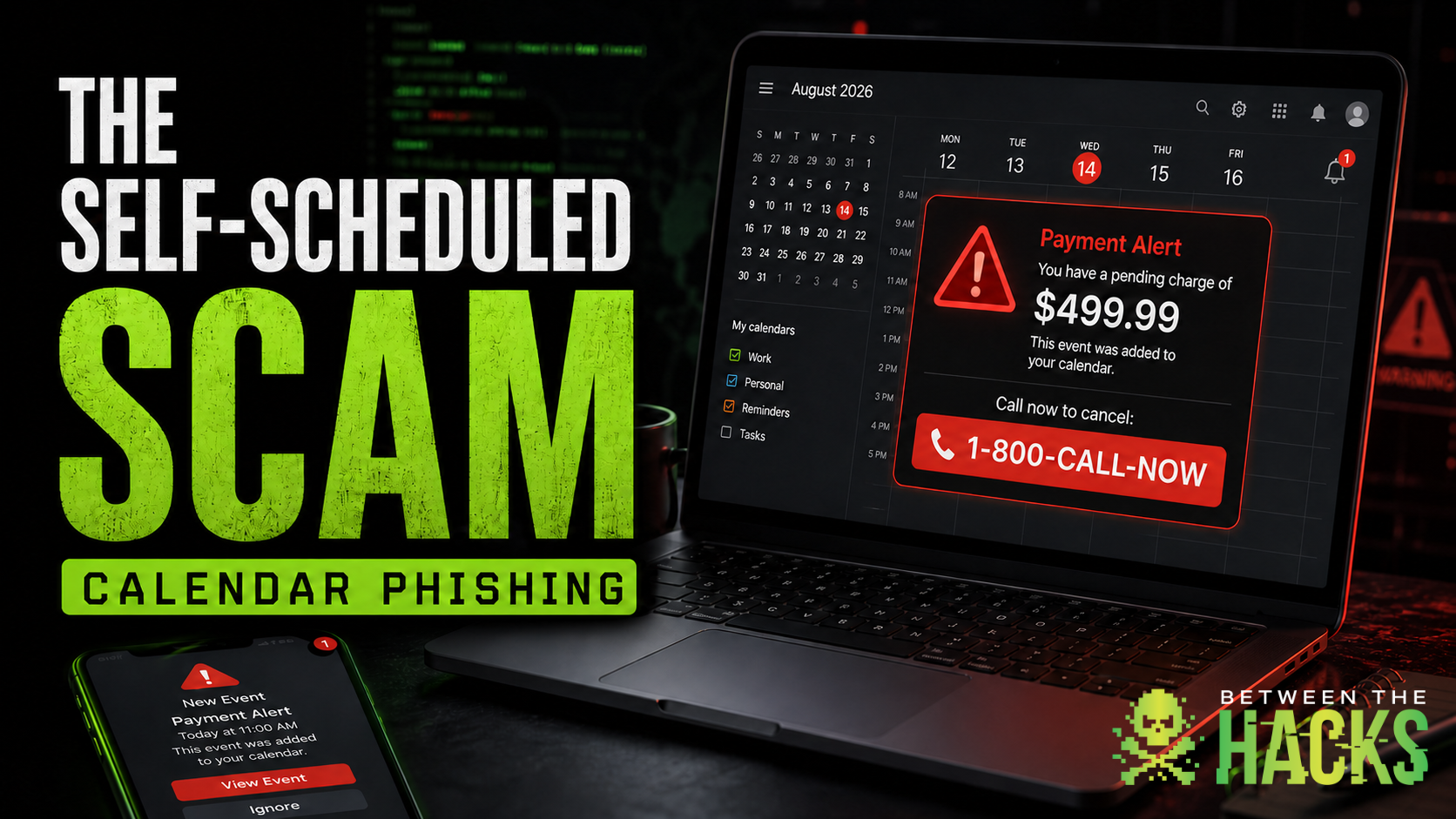
How a fake $499.99 PayPal charge landed on my son’s calendar and revived an article I never published.
Last year, I drafted an article about a phishing attack I received through a calendar invitation. I pulled the invitation and its attachment apart, documented what I found, and then never published it.
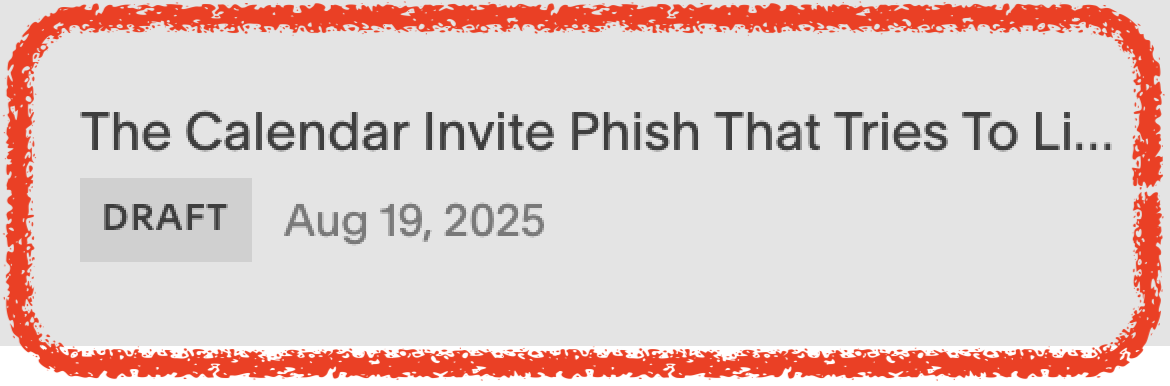
Yesterday, exactly one year later, my son received the same kind of attack.
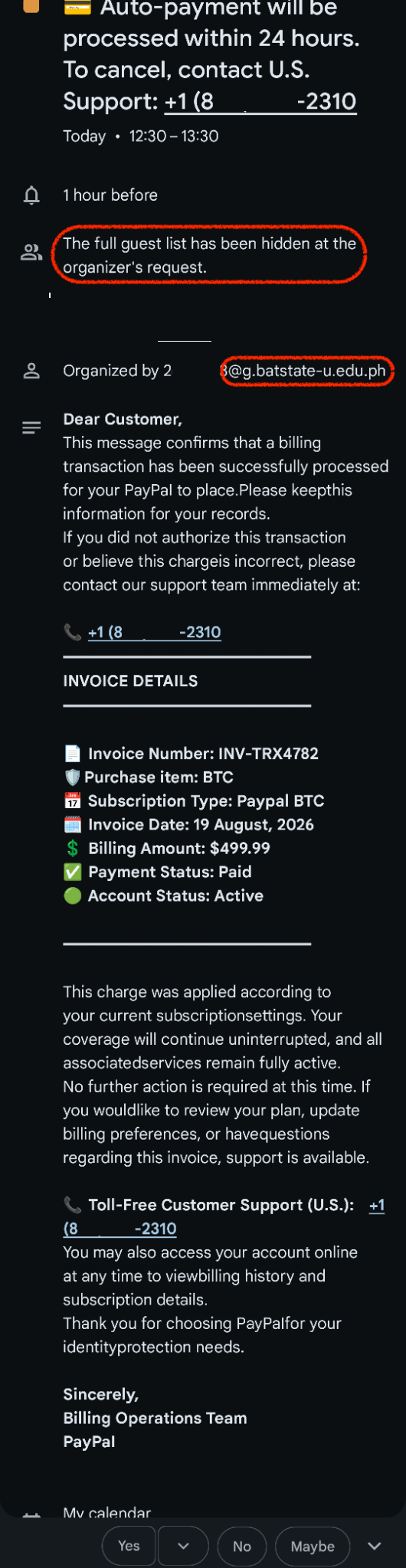
He texted me a screenshot and wrote:
“For the second time this week I got one of these obvious phishing calendar invites. Obviously I just deleted them and double checked that my PayPal account didn't actually get charged $500. Any idea what would've been compromised here? I'm assuming Google account or phone number.”
Apparently, this article waited a year for its ending.
His question was a good one. The reassuring answer is that probably neither his Google account nor his phone number was compromised.
A calendar invitation is just another message
Anyone who knows or guesses your email address can send you a calendar invitation. Depending on your calendar settings, the invitation may automatically appear with reminders, RSVP buttons, and an alarming message.
The sender did not need access to my son’s Google account, phone, or calendar. The most likely piece of information the scammers had was his email address.
That address could have come from an old data breach, a marketing list, a public website, someone else’s compromised contacts, or automated guessing. Email addresses are identifiers, not secret credentials.
Receiving two invitations in one week most likely means his email address was on a list being used for the same scam campaign, not that his account was breached.
The warning signs
The invitation claimed that a $499.99 PayPal payment for Bitcoin had been processed. If my son wanted to cancel it, he supposedly needed to call “U.S. Support” within 24 hours.
This particular scam was easy to spot once you slowed down and looked at the details.
The organizer made no sense
A PayPal billing alert would not be sent by an unrelated university account. That account may have been compromised, or the sender information may have been manipulated. Either way, the domain did not match the company making the supposed claim.
The guest list was hidden
The invitation appears to have been sent to multiple addresses with the recipients hidden, much like using BCC in an email.
That would’t make sense for a real alert about activity on one person’s PayPal account. A legitimate account notice would be sent directly to the account holder, not distributed as a concealed bulk calendar invitation.
The writing was sloppy
The invitation contained missing spaces, awkward sentences, and unusual capitalization. Writing errors alone do not prove that something is fraudulent, but they are a warning sign when combined with an unexpected charge and an urgent demand.
The telephone number was repeated
The message kept steering the recipient toward the same “support” number. That telephone number was the real payload.
The scammers wanted my son to call. Once they had him on the phone, they could ask for account credentials, payment information, remote access to his device, or participation in a fake refund process.
What I found in last year’s invitation
The calendar phish I examined exactly one year ago used a slightly different approach, but the basic strategy was the same. It claimed there was a problem renewing a Microsoft subscription. The invitation was scheduled as a long, high-priority event so it would remain on the calendar and continue generating reminders.
What landed in my inbox
Subject: Important: We Couldn’t Process Your Microsoft Subscription Renewal
Delivery: Outlook calendar invite with an .ics and an attached .htm file
Visible sender: URGENT 95 <[email protected]>
ICS organizer shown inside Outlook: [email protected] with display name “Microsoft Billing Failure”
Duration: A multi day “meeting” to keep the alert glued to your calendar with reminders
The combination is the trick. Calendar invitations look routine, reminders keep popping up, and the HTML file promises a quick fix.
The visible sender came from an unrelated domain, while the organizer field claimed to be Microsoft. An organizer name or address displayed inside a calendar invitation is not proof that Microsoft sent it.
The invitation also included an HTML file described as a billing portal. Real companies generally direct customers to their official website or app. They do not send a standalone web page as a calendar attachment and ask customers to sign in through it.
Inside the HTML attachment
The file is a simple loader page with a fake Microsoft loading screen and a progress bar that tops out around 90 percent to buy time. Behind the scenes, it connected the browser to an unrelated website that had nothing to do with Microsoft.
https://<random10>.<unrelated domain name>:8443/impact?W.w.W.<id>=chuck.davis@<domainredacted>.comThe random subdomain makes takedowns harder and filters less effective. The attacker had also placed my email address inside the link. This allowed the phishing page to look personalized and helped the attacker track who opened it.
That didn’t mean my account had been accessed. It only meant the attacker already had my email address.
This works because calendar events feel like scheduling tools rather than messages. They can remain visible for days and generate reminders long after the original invitation arrives.
The details may change, but the goal remains the same: create urgency, appear legitimate, and move the victim to a telephone call or fake website.
What to do when one appears
If an unexpected billing notice arrives as a calendar invitation:
Do not call the telephone number.
Do not click links or open attachments.
Avoid the Yes, No, and Maybe buttons. Responding may notify the organizer and confirm that someone is monitoring the address.
Report the invitation as spam or phishing when possible.
Remove it from your calendar.
Check the claim independently. Open the company’s official app or type its known website address yourself.
That is exactly what my son did. He deleted the invitation and checked his PayPal account directly. There was no $499.99 charge.
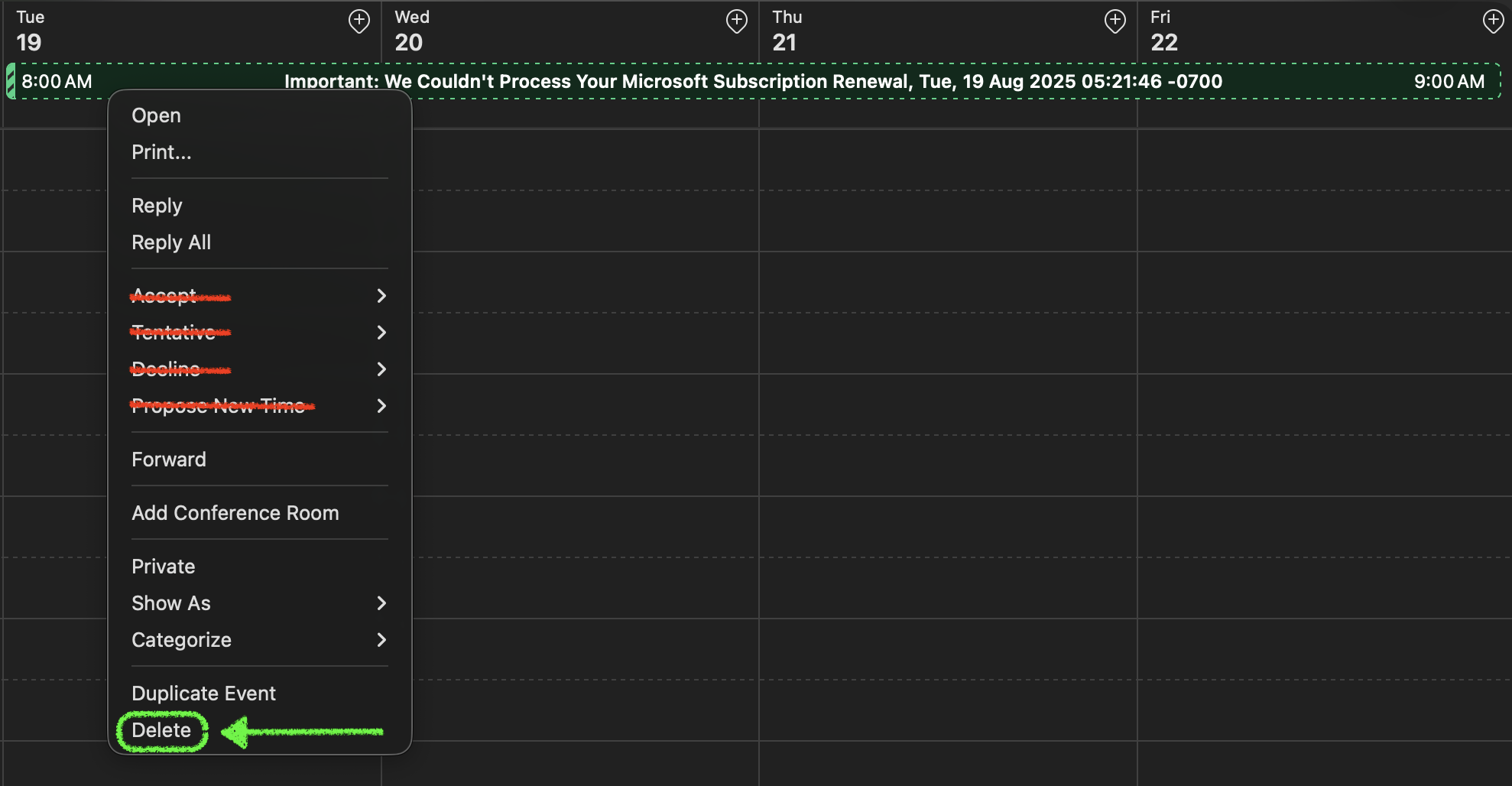
Do not accept, decline, or propose a new time. Delete the suspicious invitation without responding. If your calendar asks whether to notify the organizer, choose not to send a response.
Google Calendar users can also change the “Add invitations to my calendar” setting to Only if the sender is known. Google provides instructions for reporting suspicious calendar invitations and changing invitation settings.
What if you interacted with it?
Simply receiving, viewing, or deleting the invitation is not the same as being compromised.
Take further action if you:
Clicked a link or opened an attachment
Called the telephone number
Installed software
Entered a password
Approved a login or multi-factor authentication request
Provided payment or banking information
Gave someone remote access to your device
Depending on what happened, you may need to change the affected password from a trusted device, review recent account sign-ins, remove unfamiliar connected applications, check email forwarding rules, and contact your bank or credit card company.
If the invitation involved a work account, report it to your company’s cybersecurity or IT team.
The takeaway
Phishing is not always a blue link in an email body. Sometimes it is a calendar invitation with an urgent message to call a phone number, or a friendly reminder and a clean-looking HTML attachment. If it wants you to “view the portal” from your calendar, it wants your credentials more than it wants your time.
Pause, examine the details, and verify. Never let a countdown or a surprise $499.99 charge make the decision for you.
Enjoyed this article?
Subscribe to Between The Hacks for practical cybersecurity, real-world stories, and fresh perspectives on the technologies shaping our digital future.