Internet-Connected Doesn't Mean Internet-Accessible
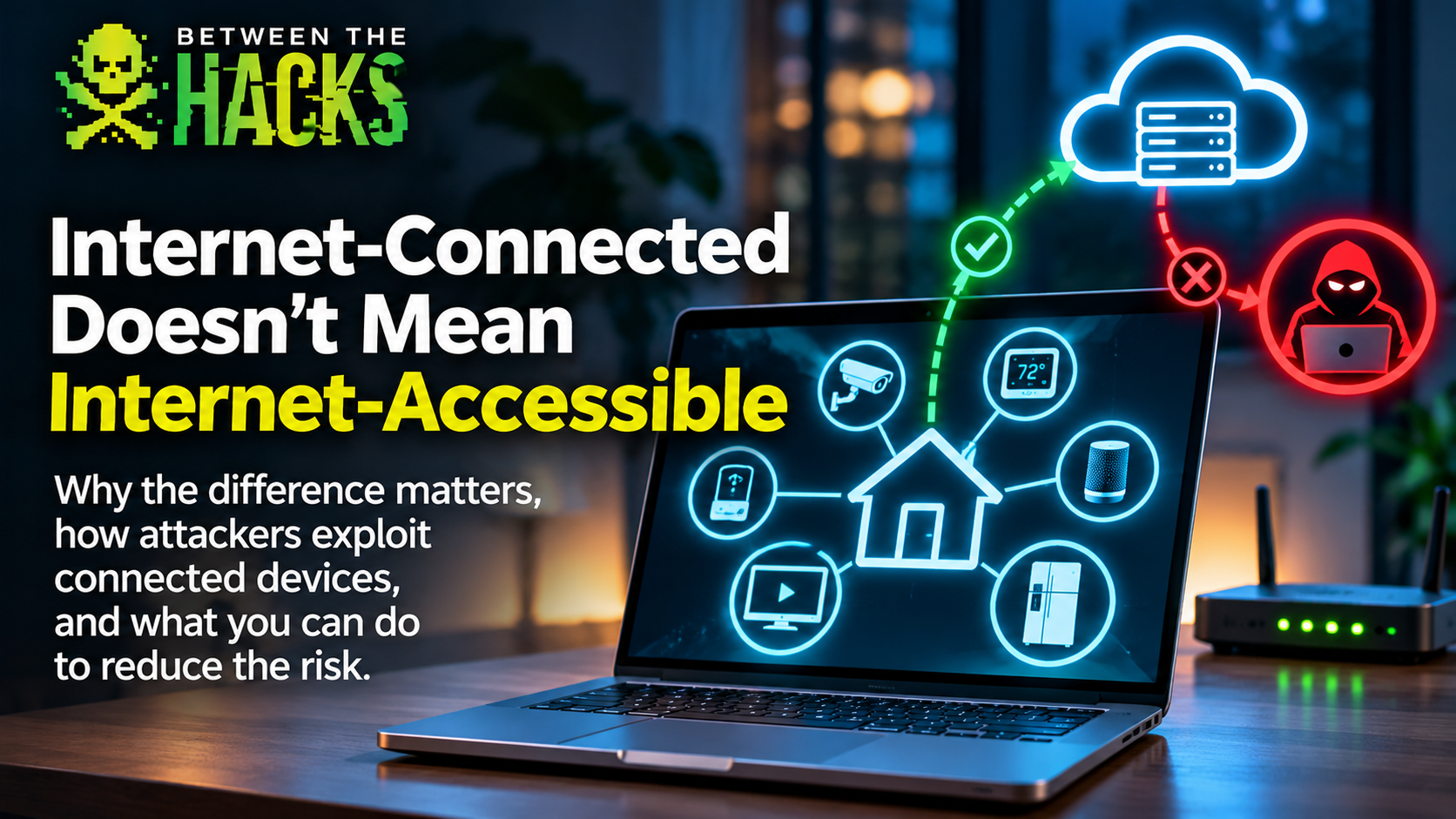
Just because a device connects to the Internet doesn't mean the Internet can connect to the device.
I regularly see news stories about attackers compromising Internet-connected devices. Security cameras, refrigerators, thermostats, industrial equipment, and just about anything else manufacturers have decided needs an Internet connection.
The headlines often make it sound like simply connecting a device to the Internet puts it within reach of attackers anywhere in the world.
But that's not necessarily true.
Think about someone reading a story about cybercriminals taking control of Internet-connected security cameras or supermarket refrigeration systems.
They might reasonably wonder: If attackers can compromise those devices, what about my laptop? My printer? My smart TV? Are all the devices connected to my home network vulnerable to the same attacks?
It's a fair question, especially when news reports don't explain how the attackers gained access.
In some incidents, the compromised devices aren't simply connected to the Internet. They have services or management interfaces that are directly accessible from the Internet.
That's very different from a laptop or printer sitting behind a properly configured home firewall.
Of course, devices behind firewalls can still be compromised through vulnerable cloud services, stolen credentials, malicious software, or other compromised devices.
But those are different attack paths, and the distinction matters.
Internet-connected and Internet-accessible aren't the same thing.
Let's look at three examples.
Example 1: Your Laptop Is Internet-Connected
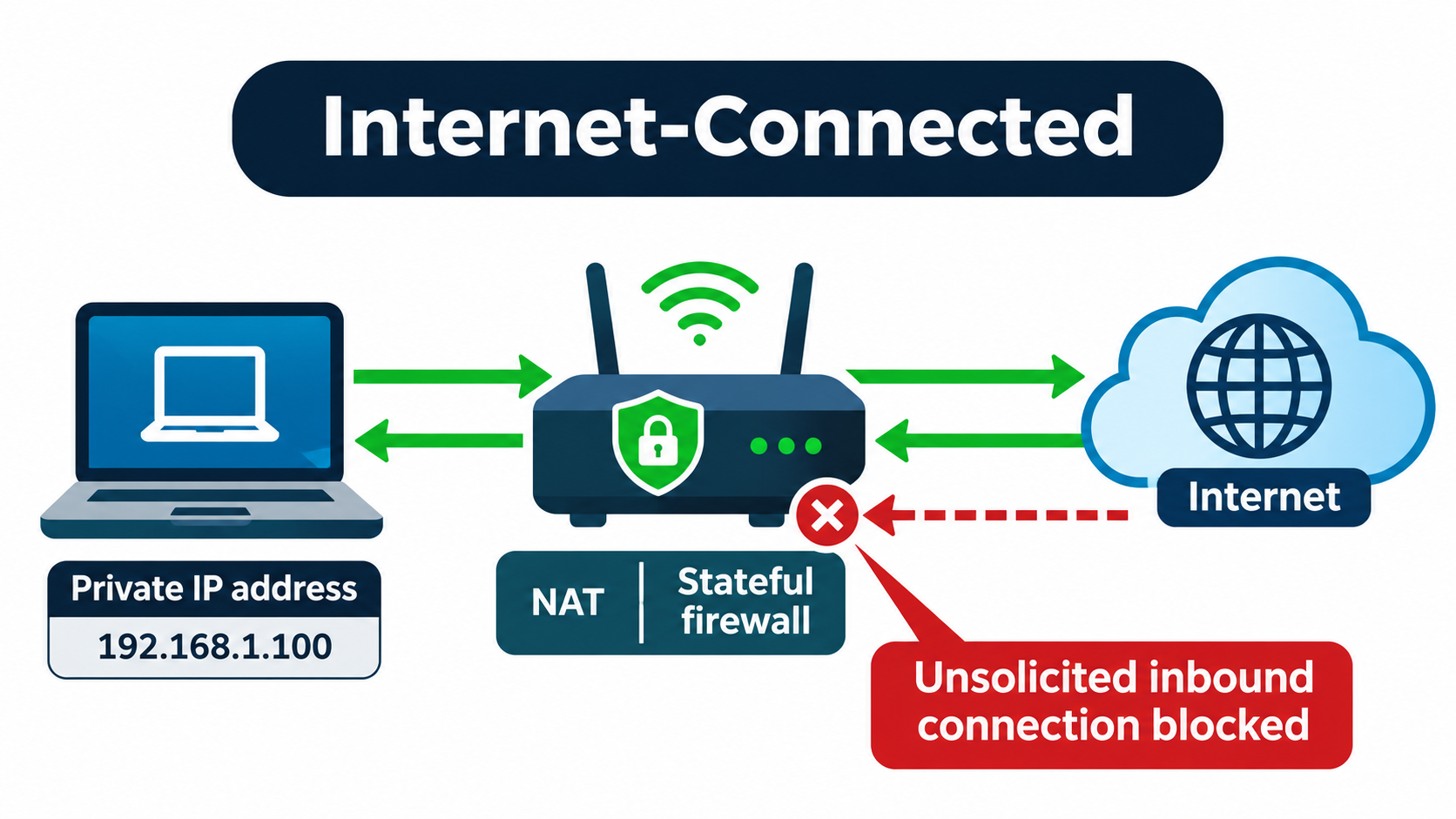
Think about your laptop sitting on your home network.
You open a browser, visit a website, check email, or download a software update.
Your laptop is clearly connected to the Internet.
But that doesn't mean someone halfway around the world can connect directly to it.
In a typical home network, your laptop has a private IP address, and your router uses Network Address Translation (NAT) to allow multiple devices to share a public Internet address.
When you visit a website, your laptop initiates an outbound connection. Your router's stateful firewall keeps track of that connection and allows the website's response back through.
But if someone on the Internet tries to initiate a new connection directly to your laptop, the firewall normally blocks it.
Your laptop is Internet-connected, but not directly Internet-accessible.
A website you visit can see your public IP address and may learn information about your browser. But that doesn't mean it can connect to services running on your laptop.
Your laptop can talk to the Internet without inviting the entire Internet to talk back.
Example 2: Now Make That Laptop Internet-Accessible
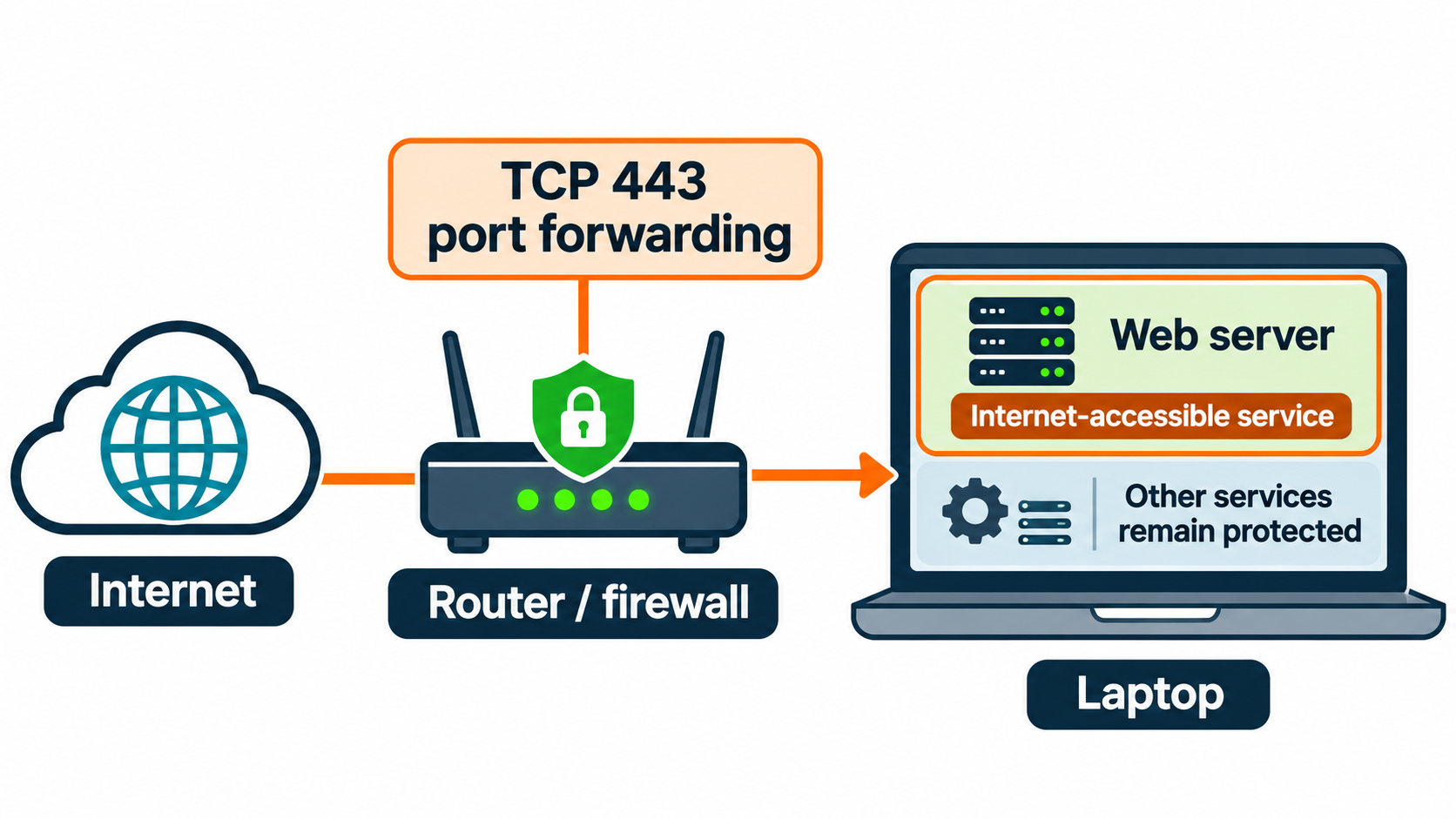
Let's use the same laptop.
This time, you install a web server on it. Maybe you're experimenting with a personal website.
Your web server listens for incoming HTTPS connections on TCP port 443.
But your router normally blocks unsolicited inbound connections, so people outside your home can't reach it.
You log into the router and configure a port-forwarding rule that directs incoming connections on TCP port 443 to your laptop.
Now, assuming your Internet provider allows inbound connections and your router has a publicly reachable address, anyone on the Internet can attempt to connect to that web server.
You've changed the security situation.
Your laptop is still Internet-connected, but now you've made a service running on it Internet-accessible.
That doesn't automatically make it insecure. The web server might be fully patched and properly configured.
But Internet scanners can now discover it, and attackers can look for vulnerabilities.
Port forwarding exposes the service you've configured, not necessarily every service on the laptop. However, a vulnerability in that web server could potentially give an attacker access to the operating system and other resources.
The vulnerability might be identical whether the web server is exposed or protected behind a firewall.
The attack opportunity isn't.
One quick note for the technical folks: IPv6 doesn't require NAT or traditional IPv4 port forwarding, but a properly configured IPv6 firewall can still block unsolicited inbound connections.
Example 3: Your Smart Thermostat Uses the Cloud
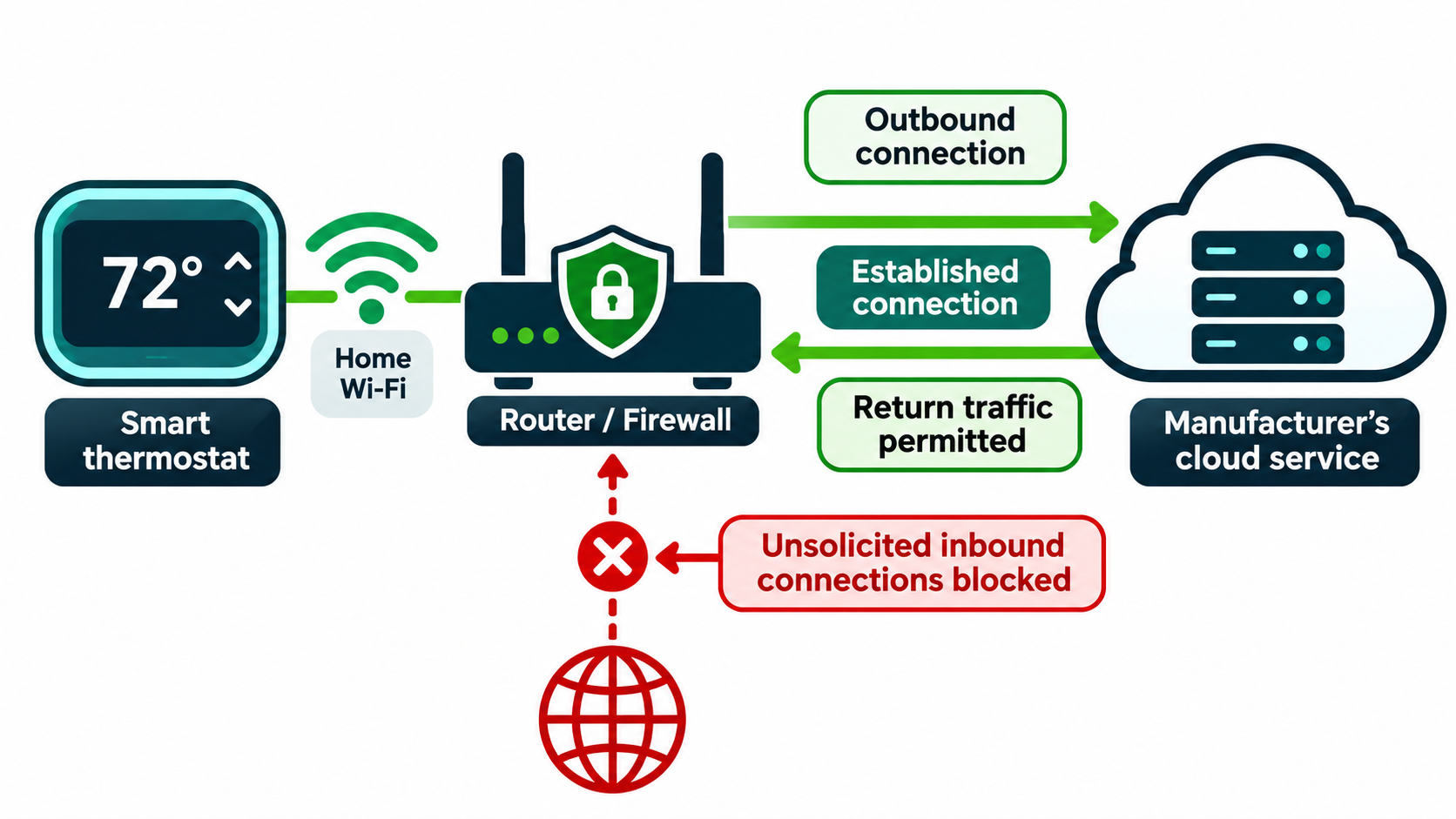
Now let's look at something different.
You have a smart thermostat connected to your home Wi-Fi.
You're traveling, and you open an app on your phone to adjust the temperature at home.
The thermostat responds.
How does that work if your firewall blocks unsolicited inbound connections?
Many smart devices communicate through cloud services.
Your thermostat establishes an outbound connection to a service operated by its manufacturer. It might maintain that connection or periodically check for new commands.
Your firewall uses stateful inspection to recognize traffic belonging to established connections and allow it through.
Think of it as the firewall remembering who started the conversation.
When you change the temperature through the app, the manufacturer's cloud service delivers the command through an existing connection or makes it available for the thermostat to retrieve.
Your thermostat can be controlled remotely without being directly Internet-accessible.
But there's a catch.
If attackers compromise the manufacturer's cloud service or steal your account credentials, they might still be able to control your thermostat.
Not directly accessible doesn't mean immune to attack.
It means attackers may need a different path.
Back to Those Supermarket Freezers
I've already covered the refrigeration attacks in The French Fridge Failure and BTH News from November 5, so I won't repeat the details here.
But there's an important lesson.
France's national cybersecurity agency, ANSSI, issued an alert through CERT-FR recommending that exposed refrigeration management interfaces be removed from the public Internet.
My position is simple: If a device wasn't designed to be directly exposed to the Internet, it has no business being there.
That doesn't mean you can't manage it remotely.
Use a properly secured cloud management solution, a VPN, or Zero Trust Network Access (ZTNA) instead of exposing the device's management interface directly.
You can still monitor and manage your refrigeration systems without making them available to anyone with an Internet connection.
And hopefully keep the ice cream frozen.
What Should You Do?
You don't need to disconnect everything in your home or business. But there are a few things worth checking.
1. Check your router.
Make sure remote administration is disabled unless you need it. Review your port-forwarding rules and remove anything you don't recognize or no longer use. Also check UPnP, which can allow devices to request port mappings automatically.
2. Keep your devices updated.
Enable automatic security updates where available. And check whether the manufacturer still supports older devices.
3. Protect your cloud accounts.
Use unique passwords and multifactor authentication wherever possible. Remember, someone who compromises your cloud account may be able to control your devices without accessing your network directly.
4. Separate your devices.
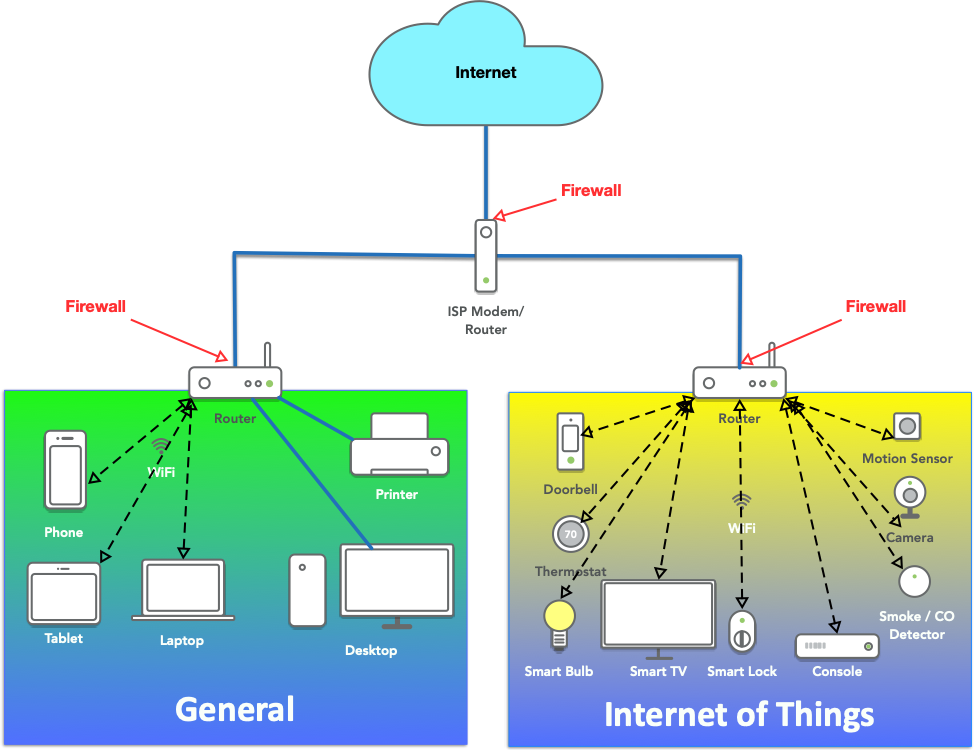
If your router supports guest or IoT networks, consider using them for less-trusted devices. Just make sure the router actually isolates those networks.
5. Be careful with remote access.
If you need to manage a device remotely, use a secure remote access solution like ZTNA, a VPN, or a properly secured cloud management service. Don't expose management interfaces directly to the Internet unless there's a compelling reason and appropriate protection.
For businesses, the same principles apply. Know which systems are exposed, limit unnecessary access, and pay particular attention to older equipment and third-party remote connections.
Knowing What Your Devices Talk To Matters
There's one more question worth asking.
Even if attackers can't connect directly to your devices, where are those devices connecting?
Your security camera, thermostat, or smart TV might communicate with cloud services, update servers, and other systems you know little about.
That's why I've been developing the Network Bill of Materials (NetBOM) concept.
An SBOM tells us what's inside software. A NetBOM tells us where a product is expected to communicate, including destinations, ports, protocols, and purposes.
Understanding those connections helps us recognize unexpected behavior and make better decisions about network security.
The Bottom Line
Internet-connected doesn't automatically mean Internet-accessible.
Your laptop can browse the Internet without allowing strangers to connect directly to it. A port-forwarding rule can expose a service running on that same laptop. And a cloud-connected thermostat can be managed remotely without exposing its management interface.
Three different situations, with different security risks.
The next time you read about an Internet-connected device being compromised, ask a simple question:
Was the device directly accessible from the Internet, or did the attacker find another way in?
The answer matters a lot more than the headline.