Venmo Privacy Settings 2026: Make All Payments Private in 60 Seconds
Last Updated: February 2026
Venmo payments are public by default. Unless you adjust your privacy settings, your payment history is visible to others.
To make Venmo payments private, open the Venmo app, go to Settings → Privacy, set your Default Privacy Setting to Private, and change past transactions to private. It takes less than 60 seconds.
Most people never adjust the default visibility setting. As a result, their payment history becomes part of Venmo’s public social feed without them realizing it.
Imagine if your bank published a live feed showing who you paid, when, and why. It would feel absurd. Yet that’s essentially how Venmo works out of the box.
Sam paid Alex
🚗 Ride to the clinic 🏥
Pat paid Chris
🤨 questionable decisions 💸
It sounds ridiculous, but that’s exactly what Venmo works out of the box.
Quick Fix:
Open Venmo → Settings → Privacy
Set Default Privacy to Private
Tap Past Transactions → Change All to Private
How to Make Venmo Payments Private in 60 Seconds
Here’s how to lock down both your future and past Venmo activity:
1. Open the Venmo App
Make sure you’re logged in on your iPhone.
2. Tap the “Me” icon (lower right corner)
This opens your profile panel.
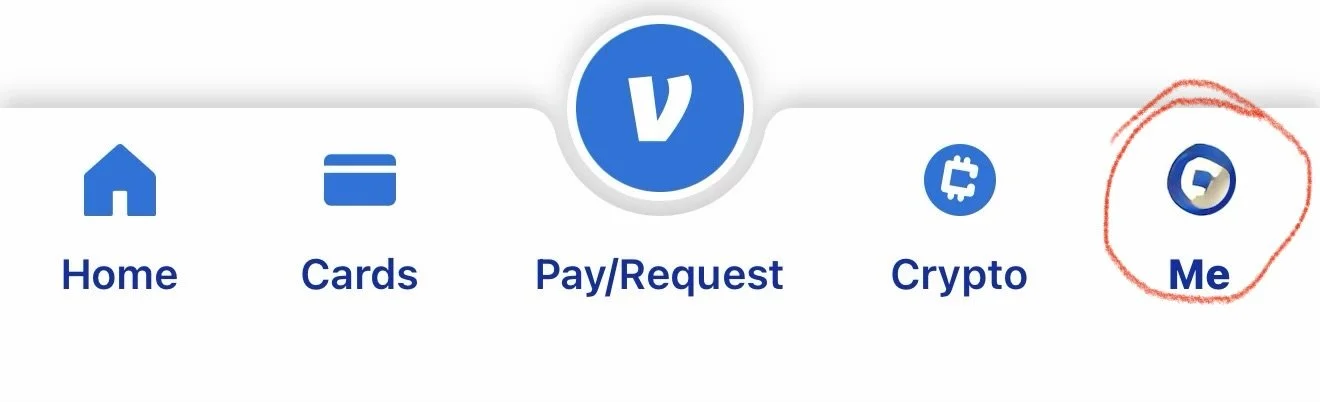
Venmo Profile icon
3. Select Settings (the gear in the upper right corner)

Venmo Settings icon
4. Tap Privacy
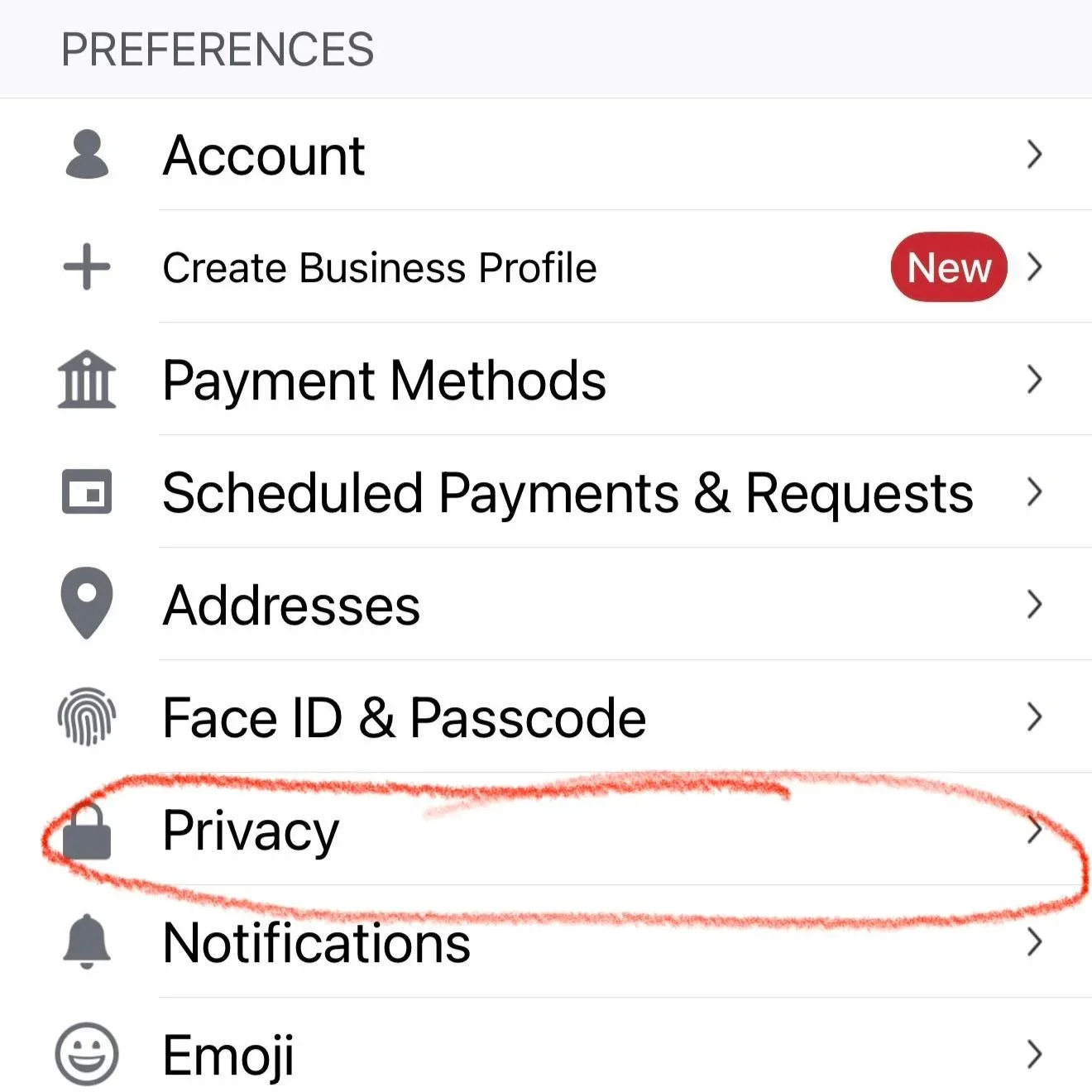
Venmo Settings: Showing Privacy as an option
5. Set Your Default Privacy to “Private”
This will ensure that future payments are visible only to you and the recipient.
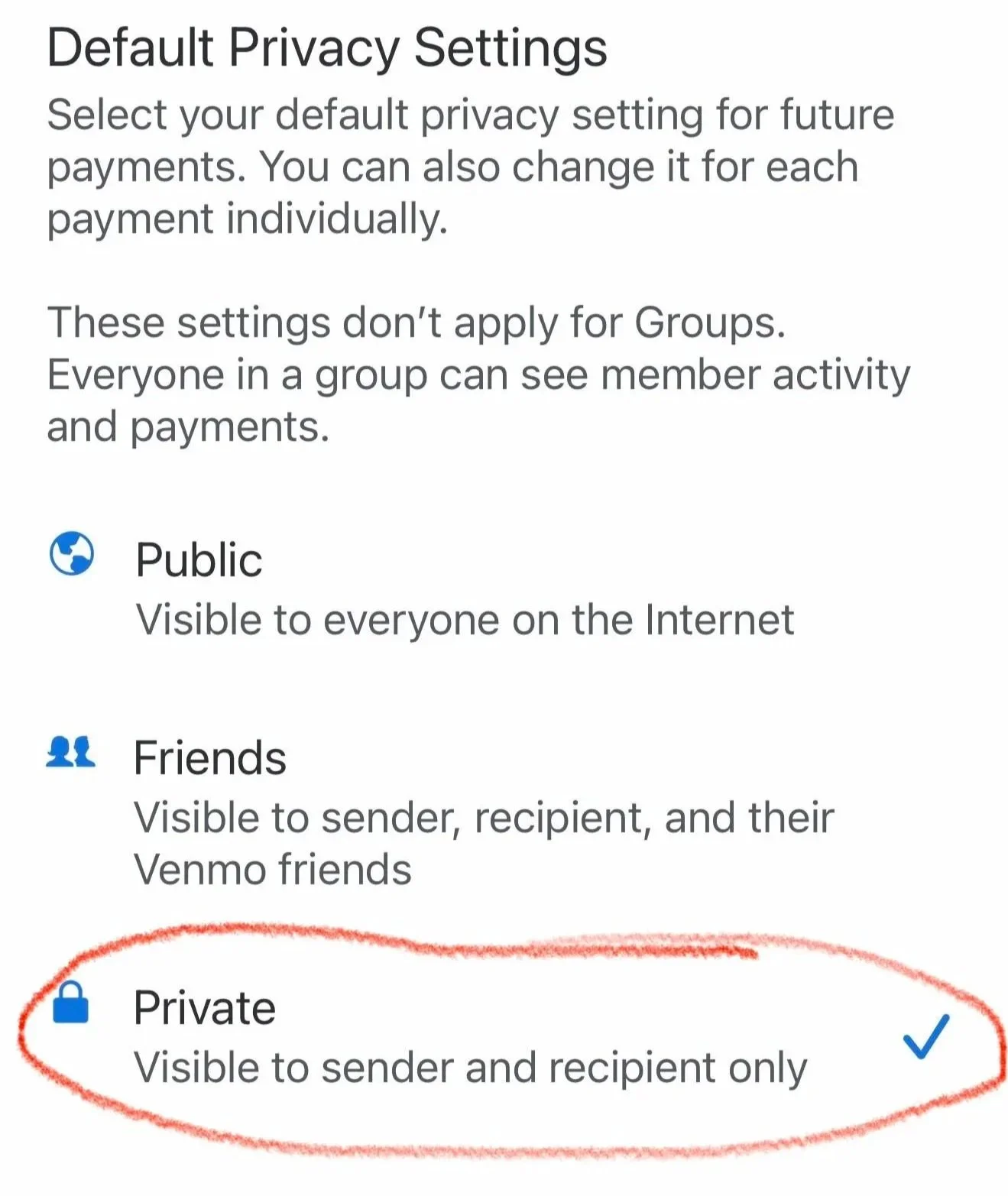
Venmo Privacy Settings: Shows Private as an option
6. Change Past Transactions to Private
Scroll down and tap:
Past Transactions > Change All to Private
You’ll be prompted to confirm. Once you do, your entire payment history will be made private.
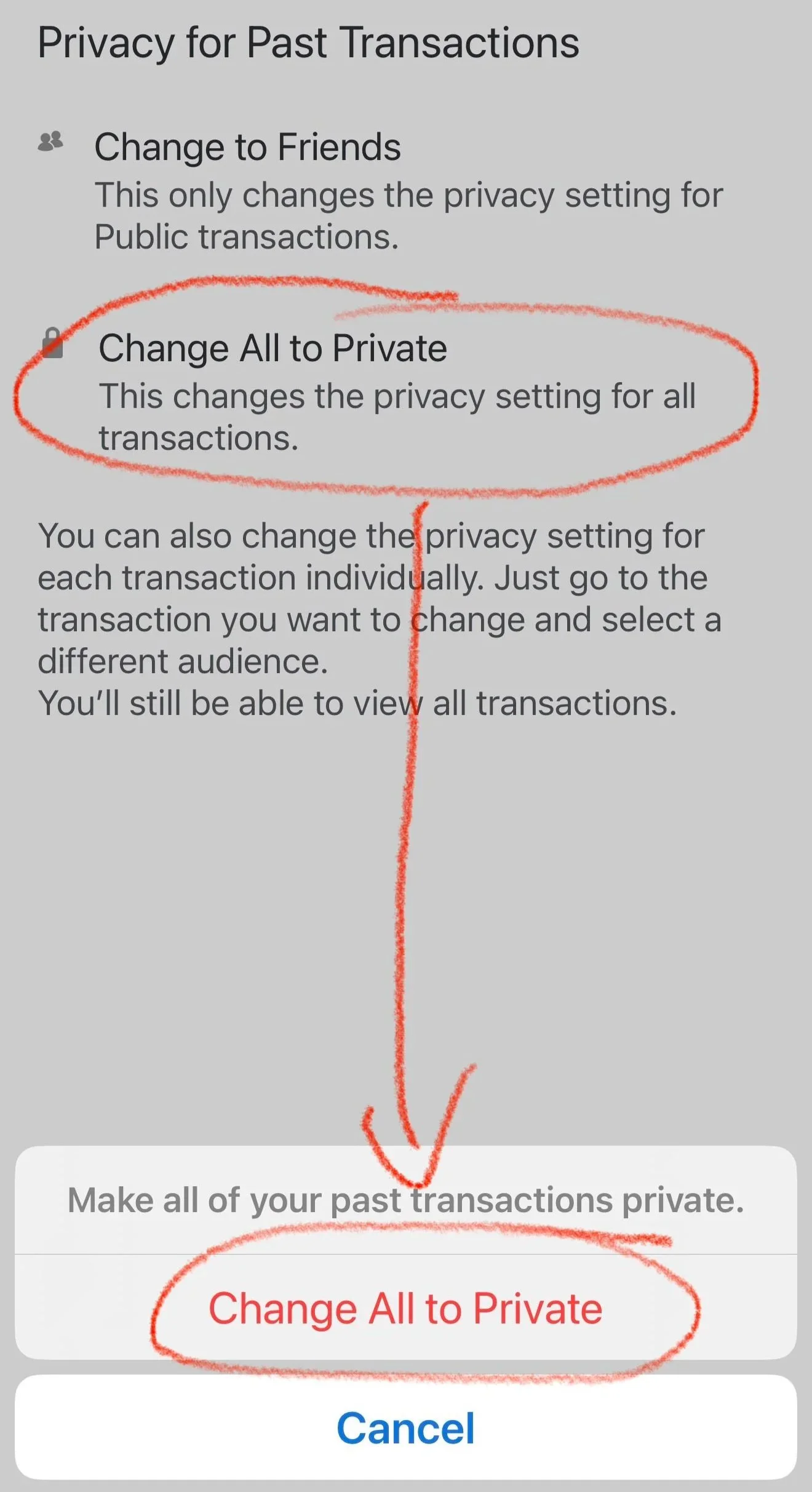
Venmo Change All Transactions to Private option
Double-Check Your Feed
To confirm your changes:
Tap the “Me” tab in the app
Scroll through your transactions
Ensure none of your past payments show up with public visibility
What Does Venmo Share by Default?
If you’ve used Venmo, there’s a good chance that:
You didn’t realize your payment history is publicly visible
Your past payments are still viewable, even if you’ve changed your settings
You can see your friends’ payments, and they can see yours
When you pay someone on Venmo, unless you’ve changed your privacy settings:
The payment note and recipient are visible to the public
The dollar amount is hidden, but context clues can reveal a lot
Anyone using Venmo can browse the public feed and make inferences about your social habits, spending behavior, and connections
Journalists have used Venmo’s public feed to track high-profile individuals, including members of Congress.
This Isn’t Just a Quirky Social Feature. It’s a Privacy Problem.
Venmo’s default setting makes your payment history public, often without you even realizing it. While Venmo privacy settings can be changed in seconds, most users never adjust the default visibility setting.
Payment metadata tells a story.
Even if dollar amounts are hidden, transaction notes can reveal:
Medical visits
Travel plans
Relationship details
Social networks
Spending patterns
In cybersecurity, we call this contextual exposure. Individually harmless data points can become powerful when aggregated.
Privacy is not paranoia. It’s basic hygiene.
Share This With Friends and Family
Next time you see a friend publicly paying someone, let them know their Venmo is wide open.
Better yet, send them this article.
Venmo doesn’t make this obvious, and most people have no idea their history is on display. A 60-second privacy fix can go a long way.